One page. One truth. Every role reads it for a different reason.
You get different things done, so you have different needs
All organisations exist to get things done. What needs doing gets grouped into projects. But there’s more to completing a project than doing its tasks. Staff workload across multiple projects needs to be managed. Changes need to be incorporated, and tasks need context. Files and resources need to be provided, output needs to be packaged and handed over. Deadlines need to be managed and met.
Meeting each of these needs requires easy access to information. And an easy way to update or correct that information. The worst way to manage this would be for every person on a project to have their own document that’s only updated with their own information. There are many obvious problems with this, but it is useful to imagine because it points directly at its opposite.
The same information must support different needs
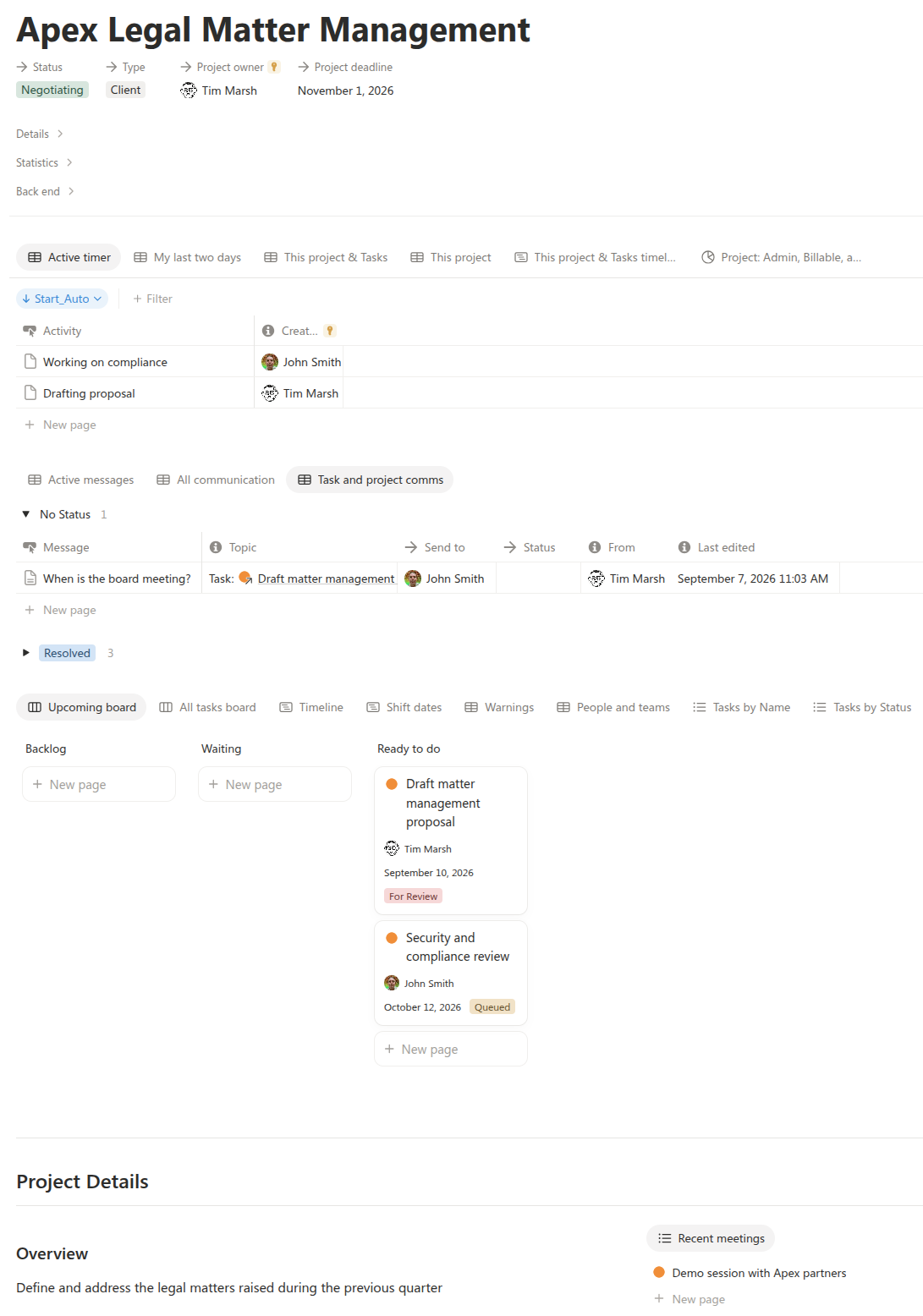
Everyone on the project needs to be working from the same page, working with the same information. But to meet their different needs that page must show their information in a way that suits them. And the page must make it easy for them to correct and update that information. This is what makes having a project dashboard necessary. It maintains a single source of truth while providing tools to see and interact with that information in a variety of ways.
A project dashboard must meet many needs
- An executive might notice a project’s current goal and milestone and pop open the project just to glance at the timeline.
- The project manager is in there regularly keeping an eye on active messages, and the upcoming tasks board.
- The staff manager might only ever look at the “People and teams” view in a project to see who is planned to do what.
- Staff working on tasks might only visit the project page for more context.
- Other staff come to see things like a list of all of the deliverables, which resources are required, or if anything is showing a warning.
By having all of this in one place, supported by a deeply-connected data layer, all of this information is accurate and trusted.
Connections keep things flowing
When a task, milestone, or goal is completed, the project automatically updates to reflect its new state. If the project is shifted to “Waiting”, all of the tasks and communication disappear from staff dashboards. When a deliverable is completed in a task, it automatically appears in the project’s output. All of the time spent on tasks shows as a total for the project. As things get done, important information is captured and automatically flows to where it is needed.
If working on projects is not this easy for you, take a look at the many benefits of this Complete Business Management Suite to see how good things can be.